> For the complete documentation index, see [llms.txt](https://docs.opsnow.io/dev-opsnow-user-guide-kr/llms.txt). Markdown versions of documentation pages are available by appending `.md` to page URLs; this page is available as [Markdown](https://docs.opsnow.io/dev-opsnow-user-guide-kr/setting/undefined-7.md).
# 추가 지원
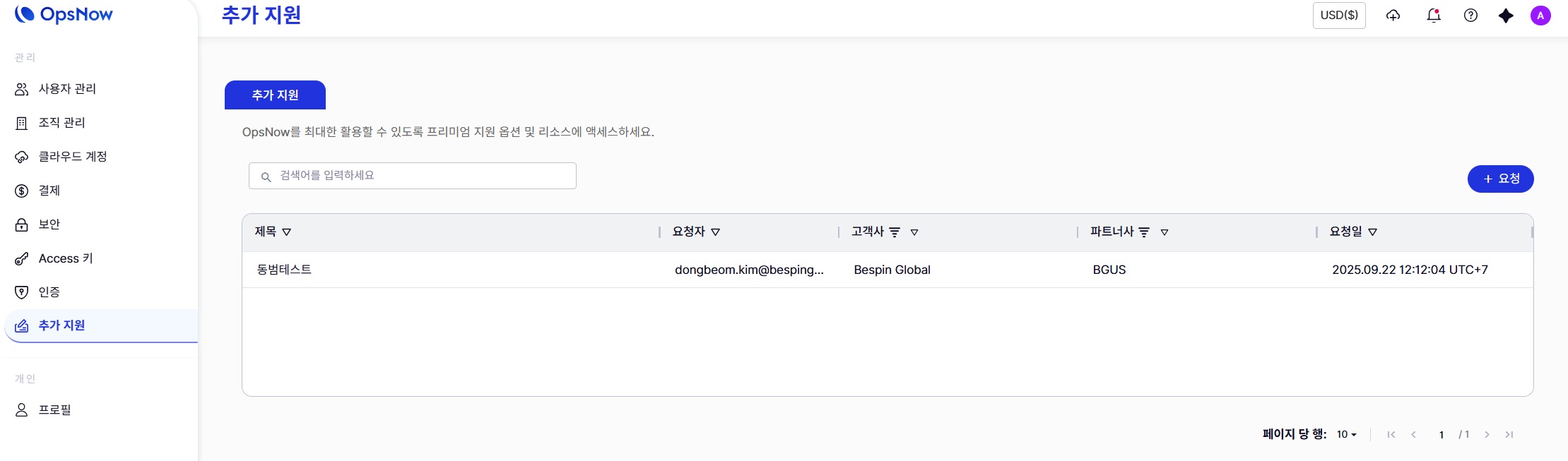
이 섹션에서는 프리미엄 지원 서비스에 접근하고, 제출한 이슈를 조회할 수 있습니다.
#### **새 요청 제출**
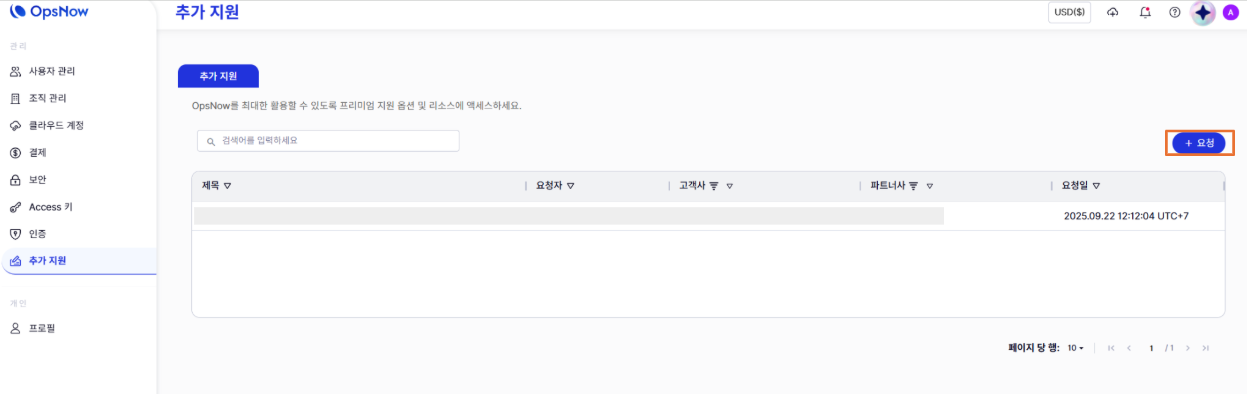
지원팀의 도움을 요청하려면, 화면 오른쪽에 있는 큰 **\[+ 요청]** 버튼을 클릭하십시오.\
이 버튼을 누르면 문제 또는 문의 내용을 작성할 수 있는 요청 생성 단계로 안내됩니다.
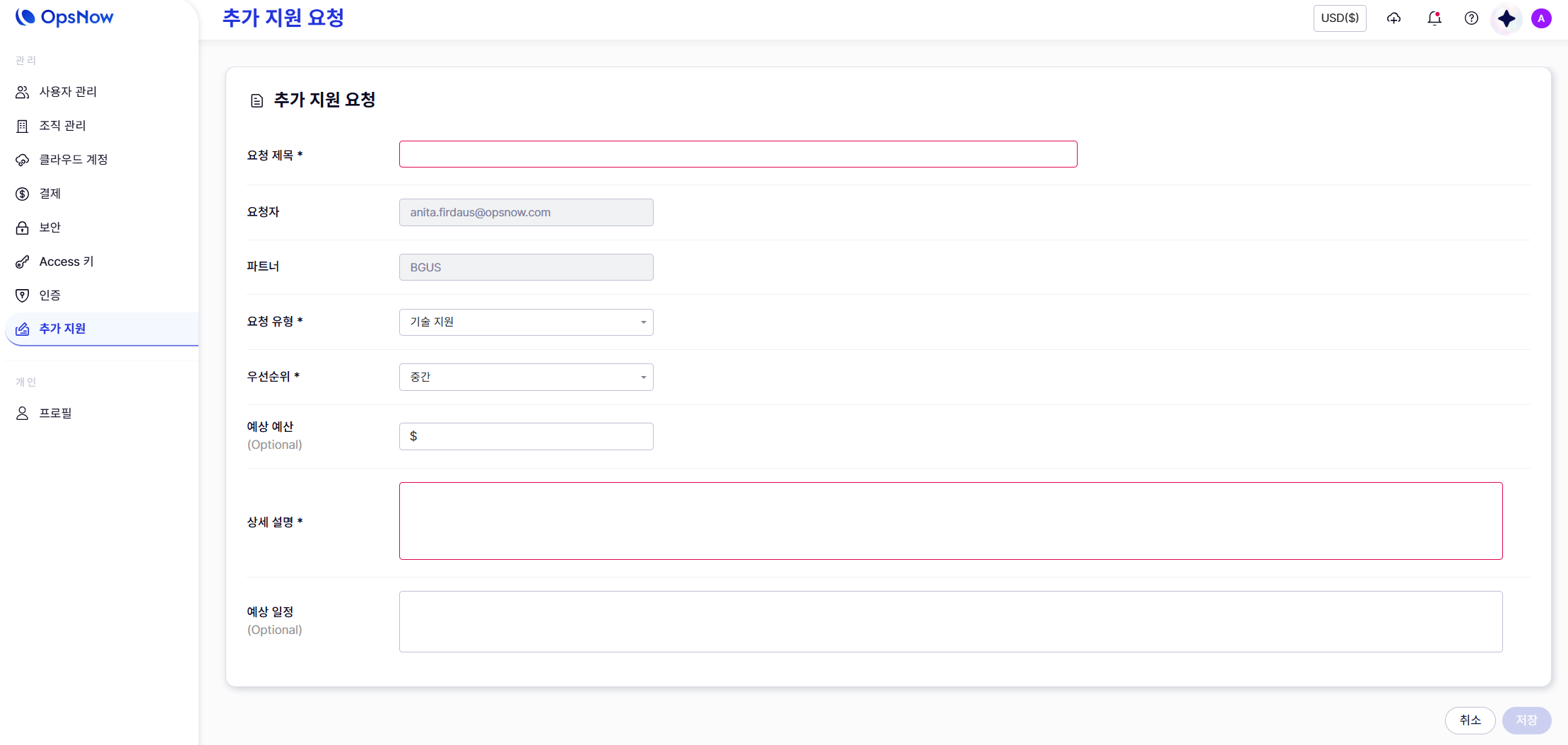
**필수 입력 정보**
* Request Title: 문제를 간단히 요약하여 작성합니다.
* Request Type: 필요한 지원 유형을 선택합니다.
* Priority Level: 이슈의 긴급도를 설정합니다.
* Detailed Description: 문제 상황을 상세히 설명합니다.
**자동 입력 및 선택 사항**
* 요청자와 파트너항목은 자동으로 입력됩니다.
* 예상 예산과 예상 일정 항목은 선택 사항이며, 요청과 관련이 있을 경우에만 입력하면 됩니다.